
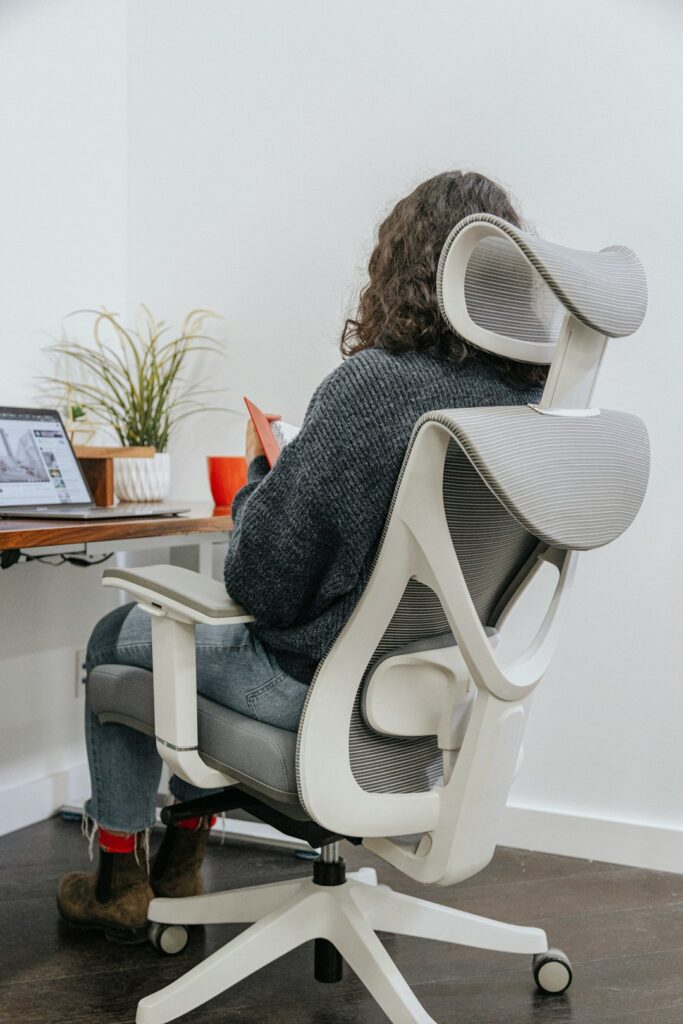
Working from home can make posture harder to manage because dining chairs, couches, kitchen counters, and laptops often replace a properly arranged workstation. For residents of Oneonta, NY, a few practical changes can reduce strain on the neck, shoulders, back, wrists, and hips without requiring expensive equipment.
Good posture is not a rigid pose that must be held all day. It is the ability to change positions comfortably while keeping the body supported and avoiding prolonged stress on the same joints and muscles.
What does good posture look like while working?
Good working posture keeps the head balanced over the shoulders, the shoulders relaxed, and the lower back supported. The goal is a neutral position rather than forcing the spine perfectly straight.
A comfortable seated position generally includes:
- Feet resting flat on the floor or on a stable footrest
- Knees approximately level with or slightly lower than the hips
- Hips positioned toward the back of the chair
- Lower back supported by the chair or a small cushion
- Shoulders relaxed instead of lifted or rounded forward
- Elbows close to the body and bent at roughly a right angle
- Wrists relatively straight while typing
- Eyes directed toward the upper portion of the screen
The head should not need to tilt downward for long periods. Even a modest forward head position can increase the workload on the neck and upper back when maintained for hours.
How should a home workstation be arranged?
Screen height and working distance often have more effect on posture than the chair itself. A laptop placed directly on a desk usually forces the user to look down, while raising the laptop can make the keyboard uncomfortable. A separate keyboard and mouse can solve both problems.
Arrange the workstation so that:
- The top of the monitor is near eye level
- The screen is about an arm’s length away
- The screen faces the user directly rather than sitting at an angle
- The keyboard allows the elbows to remain near the sides
- The mouse is close enough that the shoulder does not reach forward
- Frequently used items are within easy reach
- Glare from windows or overhead lights does not cause leaning or squinting
Books or a stable platform can raise a monitor or laptop. The support should be secure and wide enough to prevent tipping. A chair cushion may improve height, but it should not make the feet dangle or cause pressure behind the knees.
People working at kitchen tables may need to adjust the setup each day. A small cushion behind the lower back, a footrest, and a raised screen can make a temporary workspace more comfortable.
Is sitting on a couch bad for posture?
A couch is not automatically harmful, but it often encourages slouching, twisting, and unsupported neck positions. Soft cushions allow the pelvis to roll backward, which rounds the lower back. A low coffee table can also require the head and shoulders to bend forward.
If the couch is the only available option, sit as upright as possible with the back supported. Place a firm cushion behind the lower back, keep both feet supported, and use a lap desk or stable surface that prevents the screen from resting too low. Avoid working for several uninterrupted hours in the same position.
The issue is usually not one specific piece of furniture. The greater concern is remaining in a poorly supported position without changing posture.
How often should someone move during the workday?
Changing position every 20 to 30 minutes is a useful general target. A brief movement break does not need to be complicated. Standing, walking to another room, stretching the arms overhead, or gently rotating the shoulders can interrupt prolonged loading.
A practical rhythm may include:
- Standing during a phone call
- Walking briefly while waiting for a file or webpage to load
- Performing a few shoulder rolls between tasks
- Alternating between sitting and standing when possible
- Taking a short walk during a longer break
- Looking across the room periodically to relax the eyes and neck
Frequent small changes are often more helpful than one long stretching session at the end of the day. Movement also helps counter the effects of winter routines, when colder weather in the region may encourage more indoor sitting and less walking.
Which exercises can support better working posture?
Exercises should feel controlled and comfortable. They should not cause sharp pain, numbness, or a sudden increase in symptoms.

Simple options include:
Chin retractions: Sit or stand tall and gently draw the head backward, as if making a small double chin. Do not look up or down. Hold briefly, then relax.
Shoulder blade movements: Draw the shoulder blades gently down and back without shrugging. Hold for several seconds and release.
Chest opening: Place the forearms against a doorway and take a small step forward until a mild stretch is felt across the chest. Keep the movement easy and avoid forcing the shoulders.
Upper-back extension: Sit with the hands behind the head and gently lean the upper back over the back of the chair. Keep the lower back comfortable and avoid excessive movement.
Hip and hamstring movement: Stand, walk, or perform gentle leg movements during breaks to reduce stiffness from prolonged sitting.
Strengthening the upper back, trunk, hips, and legs may make sustained work positions easier. However, exercise cannot fully compensate for a workstation that requires constant reaching, bending, or screen viewing at an awkward height.
What posture mistakes are easy to overlook?
Several habits can create strain even when the chair appears comfortable.
One common mistake is working with the monitor off to one side. This can lead to hours of subtle neck rotation. Another is resting the forearms on a hard desk edge, which may irritate the wrists or create pressure through the elbows.
Holding a phone between the ear and shoulder can also strain the neck. Use a headset, speaker function, or hold the phone in the hand while keeping the head upright.
A separate concern is working from bed. The bed may feel comfortable, but it rarely provides the support needed for a stable work position. If bed rest is necessary because of illness or limited mobility, change positions frequently and support the back, arms, and neck rather than remaining propped forward for long periods.
When should posture-related pain be evaluated?
Mild stiffness that improves with movement and rest is common. Symptoms deserve more attention when they persist, worsen, or interfere with normal activities.
Medical evaluation is especially important for:
- Numbness, tingling, or weakness in an arm or leg
- Pain that travels down an arm or leg
- Loss of coordination or balance
- Severe or rapidly worsening pain
- Symptoms following a fall or other injury
- New bowel or bladder problems
- Unexplained fever, significant illness, or unusual fatigue
- Pain that repeatedly wakes someone from sleep
A posture adjustment may help mechanical strain, but it should not be used to dismiss symptoms that suggest nerve involvement, injury, or another health condition.
How can posture improvements become easier to maintain?
The most sustainable approach is to make the workspace support better choices automatically. Keep the monitor raised, place the keyboard close to the body, use a chair with back support, and set reminders to change position. A timer, calendar alert, or routine connected to regular tasks can help movement breaks become habitual.
Posture also improves when work is separated from rest. If possible, use a consistent table or desk rather than moving between the couch, bed, and kitchen counter. Even in a small home, creating one dependable work area can reduce repeated adjustments and awkward positions.
The aim is not to sit perfectly all day. A well-arranged workspace, regular movement, and attention to warning symptoms provide a more realistic way to protect comfort during home-based work.
